Why is my chatbot double booking appointments?
Two people get offered the same Thursday 3pm, both say yes, and your calendar files both without complaint.
Say you run a two room physiotherapy clinic in Manchester. At 9:12pm your website chat agent told a woman that Thursday 3pm was free. Ninety seconds later it told a man the same thing. Both said yes. Both got a confirmation. On Thursday, two people arrived for one treatment room, and one of them had taken a half day off work.
A chatbot ends up double booking appointments because reading your calendar and writing to it are two separate steps, with nothing holding the slot in between. The agent checks availability, talks for two minutes, then creates the event, and by then the time can already be gone. The fix isn't a cleverer model: it's a hold on the slot, and one system that's allowed to say yes.
Every booking bot sales page promises appointments land in your calendar instantly. None of them mention what happens when two people want the same Thursday.
Why is my chatbot double booking appointments?
Because the slot was free when the agent said so, and taken by the time it wrote. Engineers call that gap time-of-check-to-time-of-use, the window between asking whether something is free and acting on the answer. A chat conversation makes it enormous. An API call, one system asking another for data, comes back in a fraction of a second. A person deciding whether Thursday works takes thirty seconds, and may well go and ask their partner.
A thread on n8n's community forum describes it exactly. Two clients ask whether 12:00 is available, the bot tells both of them it is, and within about five minutes both say "book me for 12:00". The bot books them both.
Four separate places a collision gets in:
- Read gap. Availability is fetched once at the start of the conversation and treated as fact for the next four minutes.
- Write gap. Two conversations pass the same check milliseconds apart, and both writes succeed.
- Mirror gap. Availability is cached in n8n, Make or a Postgres table so the chat feels quick, and the cache runs thirty seconds behind.
- Human gap. Your receptionist takes a phone booking at 9:13pm and types it into the shared calendar. Your agent never saw it.
Volume isn't what decides whether this bites you. Overlap is. A clinic with six bookable hours a day and a popular 5pm slot collides far more often than a consultancy with forty open hours a week.
Why your calendar won't stop it
iCalendar, the format defined in RFC 5545, describes events so systems can exchange them. It isn't a booking engine, and it has no rule against two events sitting on top of each other. Nor should it. Humans double book themselves on purpose all day: a dentist blocks admin time, then takes an emergency over it.
So when your agent writes a second appointment at 3pm, Google Calendar doesn't refuse. It files it. A double booking isn't an error state to a calendar. It's a Thursday.
How does a chat agent check calendar availability?
It asks your calendar or your booking tool for the gaps, then it has to ask again before it writes.
Google Calendar's free/busy query returns busy blocks across a set of calendars for a window of time. Calendly, Cal.com, Acuity and Microsoft Bookings each expose their own availability endpoint, and those endpoints know the rules around a slot as well as the gap: buffers, minimum notice, how many appointments a day, which staff member does which service.
Two kinds of integration get sold with the same sentence:
- A calendar integration reads events and writes events. It understands blocks of time.
- A booking integration asks a system that understands what a booking is: appointments, staff, services, conflicts.
Most chat agents advertised as booking into your calendar are the first kind. They read free/busy, they write an event, and nothing in between owns the question "is this slot still mine?" If you're buying a chat agent for your website or WhatsApp, ask which kind it is before you ask anything about the model.
How do you stop a chatbot double booking appointments?
Hold the slot the moment you offer it, and keep exactly one system allowed to confirm.
Six things, in rough order of how much they pay back:
- One writer. Appointments get created in one place. If your chat agent writes events straight to Google Calendar while your receptionist works in Microsoft Bookings, you have two booking systems and neither can see what the other intends.
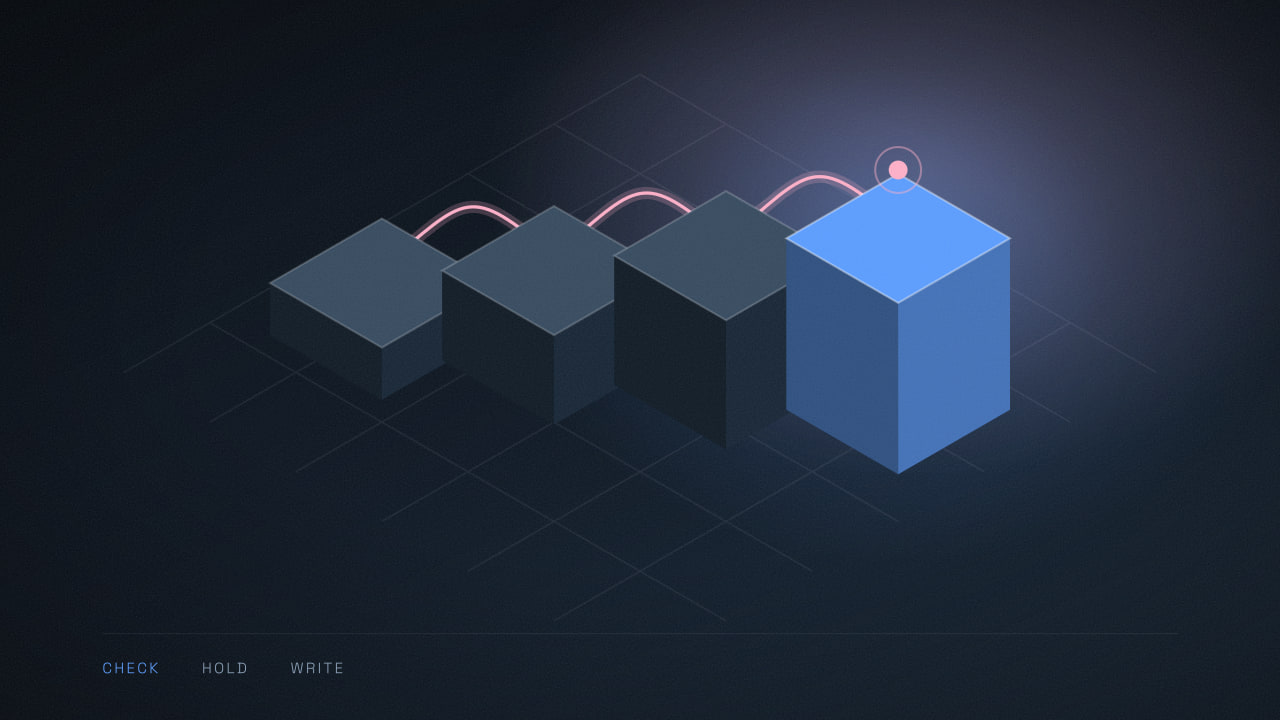
- Hold, then confirm. When the agent offers a time, put a tentative hold on it with a three to five minute expiry. A hold is a cheap row in a table, or a tentative event the booking tool already understands. If the chat stalls, the hold lapses and the slot comes back.
- Re-check, then write once. Run the availability check again immediately before writing. Write with an idempotency key, a value the booking system reads as "this exact request", so a call that times out and retries can't create a second appointment. Retries cause duplicate records across a whole automation, not just in a calendar.
- Say the awkward thing out loud. When a hold fails, the agent tells the customer: "that 3pm went while we were talking, I can do 2:30 or 4:15." Silence followed by a confirmation email is worse, because the customer has already written the time down. What an agent may and may not confirm is the same decision as what it's allowed to promise.
- Pad for the real world. Say you run a mobile tyre fitting van out of Phoenix. Two jobs can sit forty minutes apart on the calendar and still conflict, because they're nineteen miles apart on the I-10. Holds cover travel and turnaround, not just the billable hour.
- Reconcile every morning. A 6:30am job scans the next fourteen days for overlaps and messages the owner. It prevents nothing. It gives you eight hours to phone someone instead of eight seconds.
Does a booking link avoid double bookings?
Mostly, yes, and that's worth saying out loud before you buy anything.
Calendly and Cal.com exist to own this exact problem. They hold the slot while the form is open, they re-check on submit, and they tell the second person the time has gone. Hand the customer a link and you inherit all of that for the price of a subscription.
What a link costs you is the conversation. The visitor leaves the chat, loads a page, and picks from a grid of times with no idea which one suits their problem. A chunk never come back, and you learn nothing about why they were booking.
For most clinics the arrangement that works is split. Your agent answers questions, qualifies, narrows the choice to two or three sensible times, then books through the booking tool's API, with the tool owning the hold and the conflict check. Nobody sees a second page, and the system that knows what a booking means is still the one saying yes.
What about time zones and the clock change?
Store the exact instant in UTC (Coordinated Universal Time) plus the customer's IANA time zone name, the Europe/London style identifier that carries the local daylight saving rules. Never store a bare offset like "GMT+4".
Offsets rot. The rules live in the IANA Time Zone Database, they change several times a year, and countries move their clocks on dates that don't line up. North America goes to daylight time on the second Sunday in March, 14 March 2027. The UK clocks go forward on the last Sunday, 28 March 2027. For that fortnight, New York to London is four hours, not five.
Say you run a salon in Abu Dhabi with a London client. The UAE doesn't observe daylight saving at all, so inside those two weeks your agent and your client disagree about what "3pm your time" means, and the agent sounds confident either way. An appointment stored as UTC plus Europe/London survives it. One stored as "15:00 +04:00" does not.
What changes for calendar integrations over the next year
The cheap fix for a stale cache has always been to poll harder. That's about to be metered.
Google published a standardized model for agent tools and APIs, with changes starting on 1 May 2026 and beginning with the Gmail, Calendar and Drive APIs. Projects created from that date get the new limits. Existing projects keep their current quotas for at least 60 days. After 90 days' notice, a quota increase request will need Google Cloud billing enabled, and usage above the standard daily threshold will generate charges. Google expects fewer than 1% of active developers to need more than the standard tier.
That 1% is the interesting part. An automation platform polling fifty clients' calendars every thirty seconds under one project sits in it. So does any booking flow whose correctness depends on how recently it polled. This is the year to move that flow onto change notifications plus a hold layer, because a hold is correct by design and a cache is correct by luck.
When a chat agent shouldn't book at all
If you're one person doing twenty appointments a week, don't buy this. Two people wanting the same slot in the same four minutes is rare at that volume, and the hold layer, the subscription and the testing cost more than the occasional apology. Let the agent collect a name, a number and two times that suit, and place the appointment yourself over morning coffee.
There's a version we can't fix in software either. If three of your staff book from their phones mid-job, by hand, into a shared calendar, the agent will keep losing races against them, and the holds will annoy your team more than the double bookings annoyed your customers. That's a working practice question before it's an integration question.
Holds also have a price. A five minute hold on every offered slot makes you look slightly less available at 7pm on a Tuesday, which is the hour you most want to look available. We think that trade is worth it. You might not, and it's your diary.
How to test your own booking flow this week
Open two private browser windows, start two conversations, and ask both for the same slot. Confirm both inside sixty seconds. Then look at the calendar.
Three outcomes. Two appointments means you have the problem today. One appointment, and a polite "that time just went" to the second person, means someone built the hold properly. One appointment and a confirmation to both people is the worst case, because the double booking stays invisible until Thursday.
Run it against your busiest hour, not a quiet Monday afternoon. If it fails, or if you can't tell which of the three happened, send us the transcript and we'll tell you where the gap is.
Common questions
Still wondering
How long should a slot hold last?
Three to five minutes is the usual range. Long enough for someone to finish answering the agent's questions, short enough that an abandoned chat does not keep a 5pm slot off the market all evening. Extend the hold each time the customer sends a message, and release it the moment the conversation ends without a booking.
Can a chat agent cancel or reschedule an appointment safely?
Rescheduling is two operations, a cancel and a book, and it can fail halfway. Do it in the booking system rather than by editing calendar events, hold the new slot before releasing the old one, and make the agent confirm the new time back to the customer in words. Cancellations are simpler, but log who asked and when.
Will the customer know if their booking failed?
Only if you make the agent say so. The common failure is an agent that reports success because the conversation went well, while the calendar write errored out and nobody saw the log. Treat the appointment as booked only after the booking system returns an ID, and have the agent quote that confirmation back in the chat.
Does this happen on WhatsApp as well as on a website?
Yes, and it is slightly worse. WhatsApp conversations pause for hours and resume, so an agent can offer a time at 9pm and get a reply at 7am against availability it read the night before. Re-check availability whenever a thread wakes up, and never carry an offered slot across a gap longer than your hold.
Read next
Are chatbot promises legally binding on your business?
Are chatbot promises legally binding? A tribunal made one airline honour what its chatbot invented. Here is how to scope yours before that happens.
Is your chat widget slowing down your website?
How to tell if a chat widget is slowing down your website, why speed tests miss it, and what a facade costs you in first reply time.
How WhatsApp service message pricing hits your chatbot bill
WhatsApp service message pricing starts billing chat agent replies on 1 October 2026. The free tier is 1,000 messages a month, not 1,000 chats.